









Overview
An Enterprise WebMail System That Is Particular
About Ease of Use
and Convenience
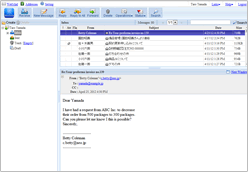 Denbun is a WebMail system for enterprises. Denbun realizes unifying email environment in an enterprise and sending, receiving and managing email by Web browsers.
Implementing WebMail system enables mail boxes to be accessed from mobile phones and smartphones anywhere without bounding to a personal PC. Furthermore it is advantage in security measure because message data is not stored in a PC or device.
When choosing a such WebMail system, most important point is "Ease of Use".
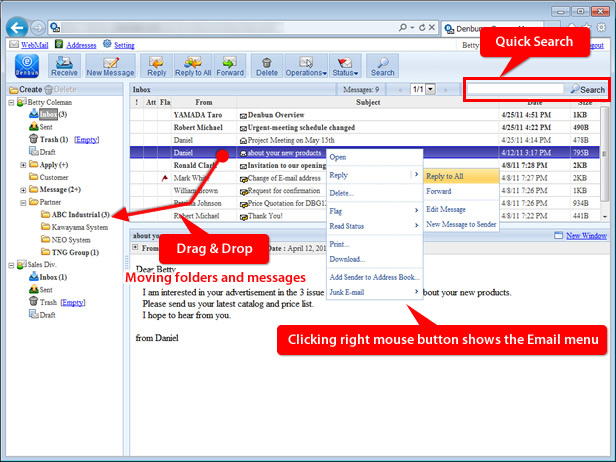
Denbun has various functions like we see desktop email clients such as organizing folders and adding attachment files by Drag & Drop. Denbun strongly supports improving the efficiency of messaging system.
"Evolving Webmail", reflecting customer feedback, challenging over state-of-the-art technology
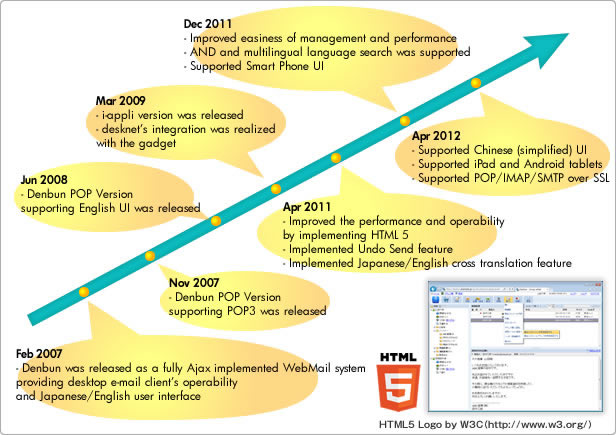
In 2007, Denbun was born as a fully Ajax implemented Webmail system providing desktop e-mail client's operability.We strengthen and expand its functions such as providing POP version, iAppli support, Groupware integration since then.
Furthermore, we are trying to reflect our customer feedback such as improving operability by supporting full HTML 5, reducing administrative work by optimizing data management and challenge state-of-the-art technology.Denbun supports your business as ""Evolving Webmail".
The feature of Denbun
- "Comfortable Operability" realized by adopting HTML 5 the latest Web technology
- "Multilingual User Interface" supporting Japanese, English and Chinese
- "Smart Device Support" let's use e-mail anywhere anytime
- "Cloud Mail Support" allows using Gmail, Google Apps and Yahoo! Mail
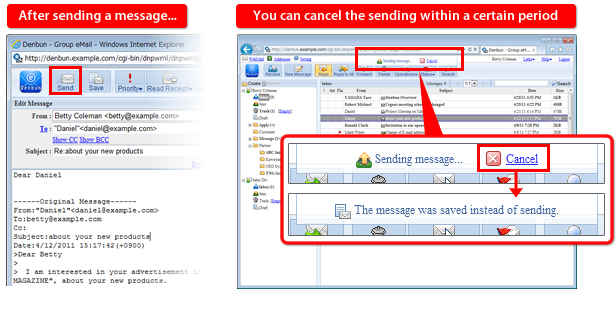
- "Undo Send" allows to cancel sent message
- "Groupware Integration" improves handling messages
"Comfortable Operability" realized by adopting HTML 5 the latest Web technology
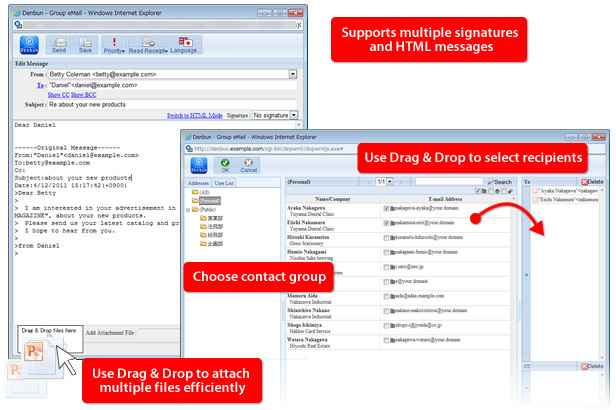
Denbun uses the state of the art HTML5 and has speedy and sophisticated user interface.Denbun provides easy to use functions like we see on desktop email client Software such as organizing folders by Drag & Drop, handling messages by double clicking, right mouse button clicking.
Lets you send and receive messages in or outside of the company smoothly with public address book and user list (directory).
The public address book which can be organized by groups and the user list which can be used as an employee directory enables integrating email environment and improves usability.
"Cloud Mail Support" allows using Gmail, Google Apps and Yahoo! Mail
Ver. 3.3 or higher
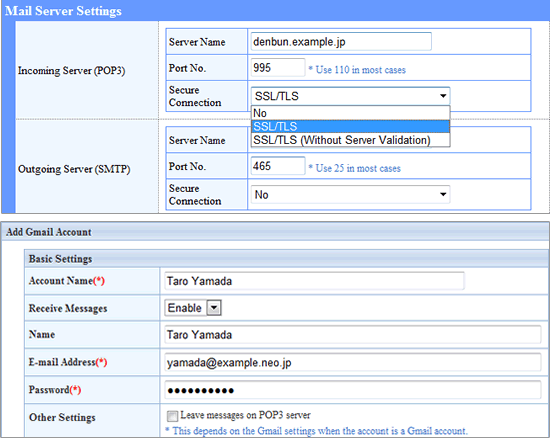
Denbun supports POP over SSL and SMTP over SSL to encrypt the communication of e-mail.Gmail/Google Apps and Yahoo! Mail accounts which require SSL connection can be used as an account.Dedicated account setup screen is available for Gmail and Yahoo! Mail so that setting up account can be done by inputting the e-mail address and password only.
"Undo Send" allows to cancel sent message
You must be very careful not to send messages to wrong person in business email.Denbun lets you prevent a messagefrom being sent when you notice the mistake.